3D Maps
3D GIS render packs for reports, proposals, and public communication.
Send your DEM, site boundary, route, or GIS layers. Get polished 3D map visuals produced with forge3d — without Blender or complex 3D GIS setup.
Produced by the creator of forge3d.
Examples
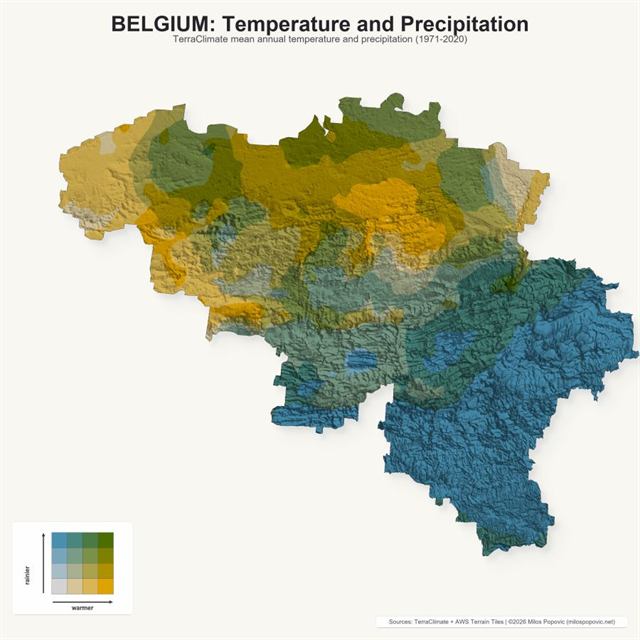
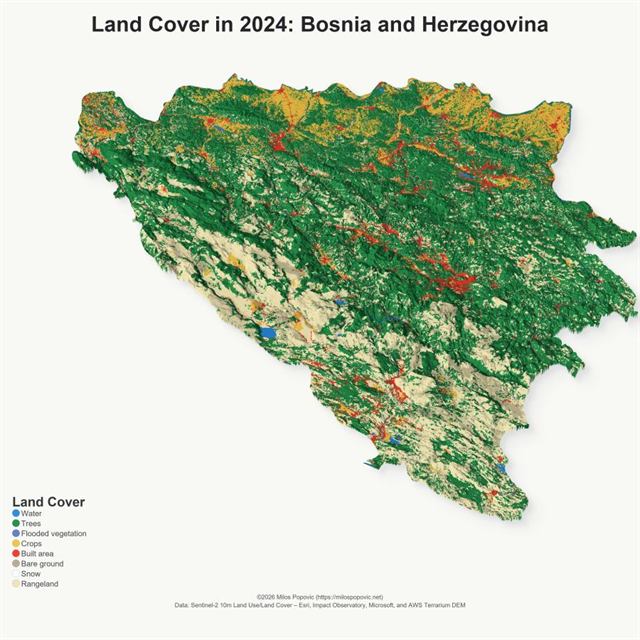
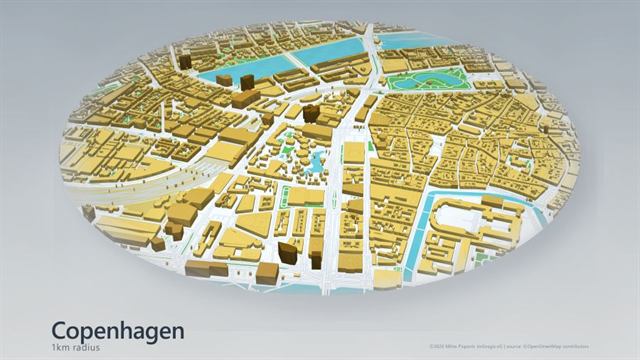
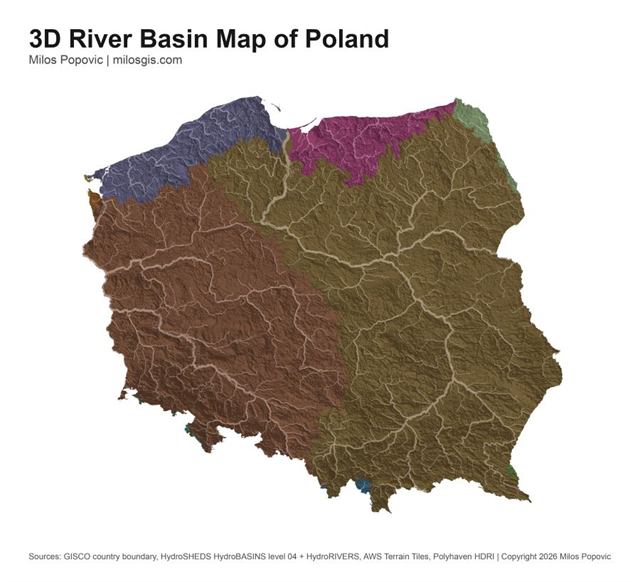
Selected 3D visual uses
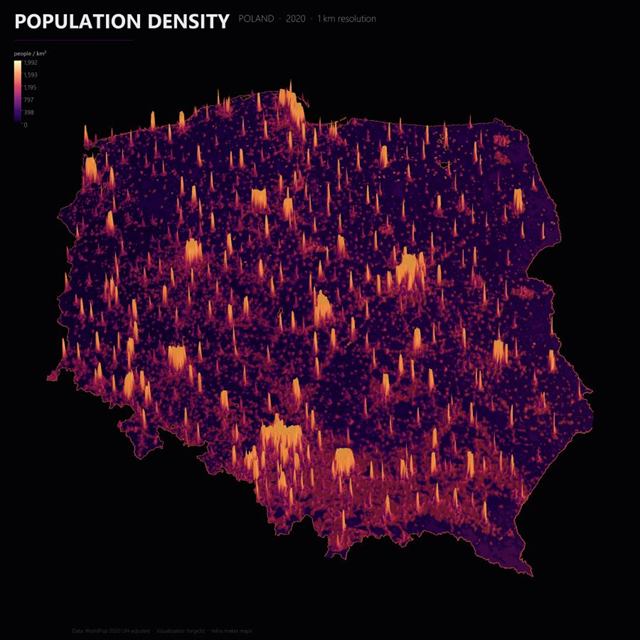
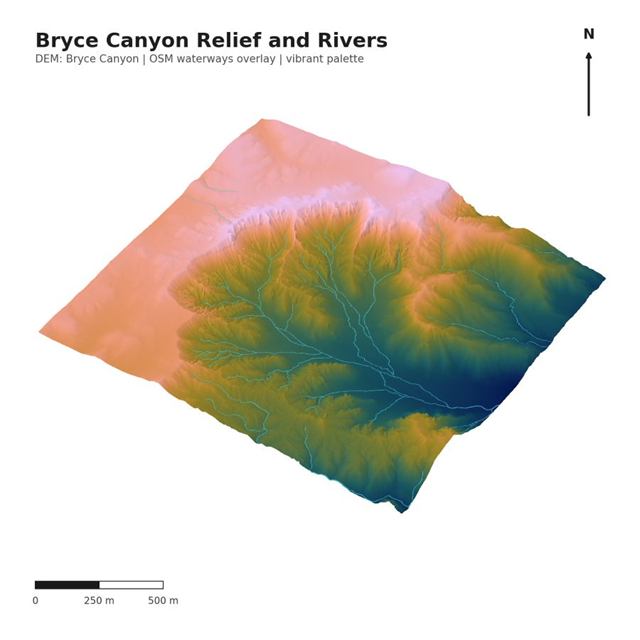
A focused set of remote-sensing, land-cover, urban, hydrology, population, and high-resolution raster examples before choosing a package.
Who it is for
Built for teams with spatial deadlines
GIS consultants
Turn client geodata into polished visuals when a report, proposal, or pitch needs stronger terrain context.
Planning and environmental teams
Show site boundaries, landform, hydrology, and context clearly before a submission or stakeholder meeting.
Infrastructure and corridor teams
Explain routes, corridors, and terrain constraints with visuals that fit presentation and report deadlines.
Research and public communication teams
Translate spatial findings into clear 3D visuals for papers, public pages, briefings, and exhibits.
What you get
Report-ready files and context
- 4K static renders
- Web-ready versions
- Source and attribution notes
- Scoped revision rounds
- Optional print exports
- Optional short animation add-on, if available
Packages
Choose the right render scope
Single Hero Render
One polished visual for a report, proposal, website, or deck
Start with one renderRecommended
Report Map Pack
3–6 coherent 3D renders for reports and presentations
Start a report packPremium Visual Pack
Higher-touch package for scenarios, corridors, public communication, or larger projects
Request custom scopeHow it works
A scoped render workflow
- Send your brief and data.
- I review scope, data, and output needs.
- Forge3D renders previews from your geodata.
- You request scoped revisions.
- You receive final files with source notes.
Data accepted
Formats I can review
If you do not have complete data, sourcing or cleanup can be scoped separately.
- DEM / elevation raster
- GeoTIFF / COG
- GeoPackage
- Shapefile ZIP
- GeoJSON
- CSV with coordinates
- KML/KMZ
- QGIS project, manually reviewed
Accuracy, privacy, and data handling
Clear scope before production
Accuracy
Forge3D renders are produced from supplied or agreed geospatial data and are intended for communication, reporting, proposals, and stakeholder presentation. Unless explicitly scoped, they are not survey, engineering, legal, or regulatory determinations.
Privacy and local production
For sensitive projects, production can be handled locally and raw geodata does not need to be sent to external AI tools by default. Custom retention and NDA terms can be discussed for larger projects.
FAQ
Common scoping questions
What data do I need?
A DEM or elevation raster plus the boundary, route, points, or GIS layers you want shown is usually enough to start a scope review.
Can you source data?
Yes. If your data is incomplete, sourcing or cleanup can be scoped separately before render production begins.
Is this GIS analysis or visual rendering?
Forge3D Render Packs are visual rendering deliverables. GIS analysis can be discussed separately if the project needs it.
Are the renders geographically accurate?
They are produced from supplied or agreed geospatial data for communication and presentation. Survey, engineering, legal, or regulatory uses must be scoped separately.
Can you keep data private?
For sensitive projects, production can be handled locally and raw geodata does not need to be sent to external AI tools by default.
How many revisions are included?
Revision rounds are scoped before work begins so expectations match the selected package and deadline.
Can you make animations?
Optional short animation add-ons can be discussed when the data, story, and delivery timeline support them.
Can I use the images commercially?
Commercial use can be included in the scope, with source notes and attribution requirements documented in the final files.
Let's start!